NAVmobile/AXmobile - 2011 Q4 roadmap
I was quite out of the blogging business for a while. I am still following the latest technical and business trends in the IT area, but I am mostly focused over the development of Mobile Affiars and our product NAVmobile/AXmobile.
We're trying to stay in touch with our partners and giving them as much as possible information about the product roadmap and the expacted product changes. This information is shared through our partner channel resources, but I decided to share some informarion in public in order to reach potential partners, current customers and other interested parties.
I will discuss some of the main platform-wide functional areas , which we're digging into. I will miss the various improvements in the standard Sales/Warehouse scenarios that we support. So, here come the main areas:
We're trying to stay in touch with our partners and giving them as much as possible information about the product roadmap and the expacted product changes. This information is shared through our partner channel resources, but I decided to share some informarion in public in order to reach potential partners, current customers and other interested parties.
I will discuss some of the main platform-wide functional areas , which we're digging into. I will miss the various improvements in the standard Sales/Warehouse scenarios that we support. So, here come the main areas:
- Device Agent Improvements
- Barcode management improvements
- Graphical UI for deployment process tailoring
- Off-line working mode in Warehouse management. ( IT.Warehouse )
- Support for more mobile platforms
Device Agent
NAVmobile/AXmobile introduced a concept for a device agent few months ago. It is a background service working on the device and performing different activities behind the scene. It is extremely nice to have feature in scenarios, where the mobile user is not supposed to manually perform device synchronization. The on-line Warehouse Management scenario is a good example. The Device agent is performing activities like:
- caching and resending of failed synchronization packets
The network connectivity may have poor quality in larger warehouse areas or experience connection droppings, when netowork roming takes place. - sending of device system information and logs
The Device agent performs collection of event logs and device system information and sends them to the server, when connection is available. - downloading of system settings from the server
if new settings are published on the server, the Device agent will automatically extract the settings from the server and they will affect the device behaviour immediately. The agent is capable to execute device provisioning "scripts" in order to configure different aspects of the underline mobile OS.
- downloading mobile software updates
if new mobile software version is published on the server, the agent will automatically download and install the software without user interaction, making sure that the user will not lose any unsaved work. - alerting device user for custom messages
ERP users and administrators can send messages to devices or device roles ( group of devices). These messages are handled and displayed/alerted on the device by the Device agent.
- Location data collection and GIS integration
The Device Agent will collect GPS data on the device and will be able to send the GPS log to the Mobile Sync Server. The administrators will be able to analyze the collected location data through the web administrative console or exporting the data to third party GIS. - User task management
The ERP users will be able to create tasks for the mobile users ,wich will be sent to the device and displayed in a customized splash screen. The splash screen will allow users to launch spefiic task from their list by taping over it. Initially the customized task management splash screen will be introduced in our standard Warehouse module , but partners will be able to integrate the task management approach in their own customizations.
Barcode management
NAVmobile/AXmobile had a platform-wide barcode management support from the begining. Our partners are able to easily introduce support for additional barcode scanners/imagers by implementing a simple barcode "drivers" using CF.NET and delivering them through the standard OTA(over-the-air) infrastructure.
Our next release will introduce new barcode pattern based management features. Partners will be able to specify the various barcode types and masks and their content ( like item-numbers, quantities, lots, bins and more ) and the system will automatically parse the barcode conten and automatically extract encoded quantities, numbersm bins , etc. Barcode patterns configurtion will be deployed on the devices by using the same server-side provisioning approach,
Graphical UI for deployment process tailoring
NAVmobile/AXmobile allows partners to tailor the automatic OTA deployment process. They can "instruct" the server to perform various additional activites during the initial mobile application deployment. It allows partners to deploy additional apps ( like keyboard layouts for example ) or provision the mobile OS on deployment. This is done (right now ) by writing instruction in a dedicated xml file (Deploy.manifest ) . In the next release we will introduce dedicated UI in the Web Administrative Console to make the deployment tailoring even easier.
Off-line working mode in Warehouse management. ( IT.Warehouse )
Our standard warehouse module was developed as on-line solution intially. We introduced failed sync packet resending features to minimize the on-line requirement impact, but it turns out that there is a big demand to support the warehouse scenarios in complete off-line mode.
Or next public release will allow organizations to select between off-line and on-line mode with a simple setup and even mix off-line and on-line warehouse workers in a single deployment.
Support for more mobile platforms
Microsoft announced the extended support for Windows Mobile based devices and event longer support for the rebranded Windows Embedded Handheld and Windows Compact editions. We will keep introducing more features on these platforms as this is the most popular mobile OS for rugged devices these days.
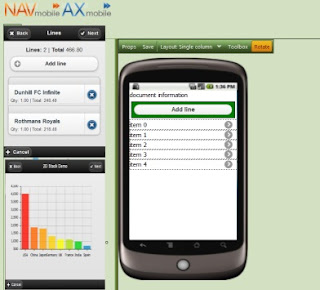
However, the IT area is very dynamic and forces us to introduce support for additional mobile platforms and form factors. We will incrementally introduce support for all of the major mobile operting systems starting with Android near the end of the year. The new platform will support complete off-line mode through native mobile apps and on-line mode through a modern web browser.
We will introduce new cross-platform mobile development environment to allow our partners to write once and distribute their ERP connected mobile apps to various mobile platforms.
We will also incrementally introduce all features and mobile modules supported on Windows Mobile to the new platofm. Partners/Customers will be able to "host" and manage Windows Mobile and all supported modern mobile devices in a single deployment with the same skills and knowledge.
Disclaimer: The NAVmobile/AXmobile features are subject of change witout notice. We will do our best effort to inform our partners and customers in advance if changes in the roadmap are comming in response to changes in the dynamic business environment.
NAVmobile/AXmobile had a platform-wide barcode management support from the begining. Our partners are able to easily introduce support for additional barcode scanners/imagers by implementing a simple barcode "drivers" using CF.NET and delivering them through the standard OTA(over-the-air) infrastructure.
Our next release will introduce new barcode pattern based management features. Partners will be able to specify the various barcode types and masks and their content ( like item-numbers, quantities, lots, bins and more ) and the system will automatically parse the barcode conten and automatically extract encoded quantities, numbersm bins , etc. Barcode patterns configurtion will be deployed on the devices by using the same server-side provisioning approach,
Graphical UI for deployment process tailoring
NAVmobile/AXmobile allows partners to tailor the automatic OTA deployment process. They can "instruct" the server to perform various additional activites during the initial mobile application deployment. It allows partners to deploy additional apps ( like keyboard layouts for example ) or provision the mobile OS on deployment. This is done (right now ) by writing instruction in a dedicated xml file (Deploy.manifest ) . In the next release we will introduce dedicated UI in the Web Administrative Console to make the deployment tailoring even easier.
Off-line working mode in Warehouse management. ( IT.Warehouse )
Our standard warehouse module was developed as on-line solution intially. We introduced failed sync packet resending features to minimize the on-line requirement impact, but it turns out that there is a big demand to support the warehouse scenarios in complete off-line mode.
Or next public release will allow organizations to select between off-line and on-line mode with a simple setup and even mix off-line and on-line warehouse workers in a single deployment.
Support for more mobile platforms

Microsoft announced the extended support for Windows Mobile based devices and event longer support for the rebranded Windows Embedded Handheld and Windows Compact editions. We will keep introducing more features on these platforms as this is the most popular mobile OS for rugged devices these days.
However, the IT area is very dynamic and forces us to introduce support for additional mobile platforms and form factors. We will incrementally introduce support for all of the major mobile operting systems starting with Android near the end of the year. The new platform will support complete off-line mode through native mobile apps and on-line mode through a modern web browser.
We will introduce new cross-platform mobile development environment to allow our partners to write once and distribute their ERP connected mobile apps to various mobile platforms.
We will also incrementally introduce all features and mobile modules supported on Windows Mobile to the new platofm. Partners/Customers will be able to "host" and manage Windows Mobile and all supported modern mobile devices in a single deployment with the same skills and knowledge.
Disclaimer: The NAVmobile/AXmobile features are subject of change witout notice. We will do our best effort to inform our partners and customers in advance if changes in the roadmap are comming in response to changes in the dynamic business environment.